
Thank you for all the feedback you’ve shared with us over the last two months. Many of the updates below started as a message from a customer: “can it sing?”, “can I post this to Instagram?”, “can I see it before it goes out?”
October and November were our busiest months yet. Here is everything new in Peoplewisher, with a link to a full article for each of the bigger features.
What’s new in Peoplewisher?
Music Center: AI birthday songs
Peoplewisher can now write and produce a personal celebration song for each person, with their name in the lyrics. Make one song for the whole group or one for each person, in 18 languages, and send it with your greeting or share it as a link. Your first song (up to two minutes) is free; after that, songs are $1 a minute from your wallet. Read more about the Music Center.
Voice notes
Record a voice note for a group and it travels with your email and WhatsApp wishes, and plays on the person’s celebration page. You can also create AI voice notes, personalised for each person, in a stock voice or your own, and approve them before they’re sent. A voice note history shows every note made and where it went. Read more about voice notes.
Peoplewisher in Claude and ChatGPT
Peoplewisher now has its own MCP server at mcp.peoplewisher.com, so you can connect it to Claude, ChatGPT and other MCP clients and sign in securely. Ask who is celebrating this week, look up people or check how many messages went out, right from the AI assistant you already use. Read more about Claude and ChatGPT.
WhatsApp assistant and daily brief
The Peoplewisher WhatsApp assistant has become a lot smarter, and it now sends a daily brief: a morning message on WhatsApp or email, at the time you choose, listing today’s birthdays and anniversaries. Reply to it and you get the full brief with buttons to act on. The daily brief is available on paid plans. Read more about the WhatsApp assistant.
Celebration pages
Every celebration now has its own page, where the person can see their wishes, play their song or voice note and open their gifts. You can set a custom title and description, turn sections on or off, rename tabs, and show or hide the date. Links shared on social media show a Peoplewisher preview picture. Read more about celebration pages.
Holiday campaigns and quick send
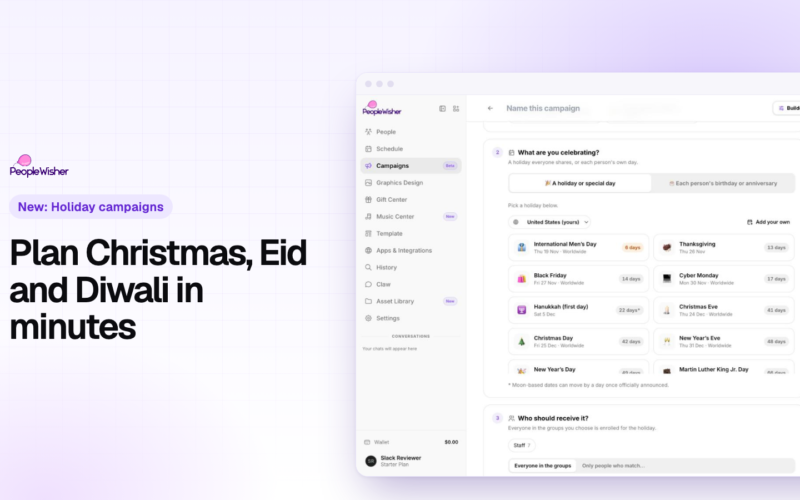
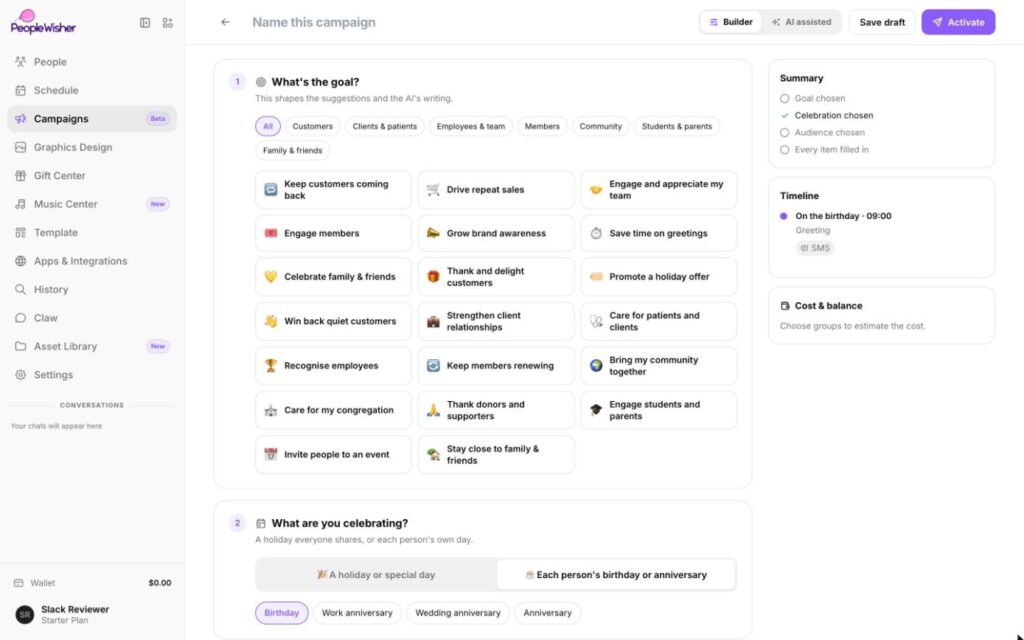
Campaigns have been rebuilt. Pick a holiday from your country’s calendar (Christmas, Eid, Diwali, Thanksgiving and many more), build a few timed steps with SMS, email, WhatsApp, Slack, gifts or social posts, and see the cost before you activate. Quick send handles one-off messages to whole groups, now or at a chosen time, and the new Failed tab explains every failure and lets you retry. Read more about holiday campaigns.
Social shoutouts
Peoplewisher can now post birthday shoutouts to X, Instagram, LinkedIn and Facebook Pages automatically, with your message and the person’s birthday graphic. Instagram connects with Instagram Login, so you no longer need a Facebook Page. Social Shoutouts are available on paid plans. Read more about social shoutouts.
Gift Center
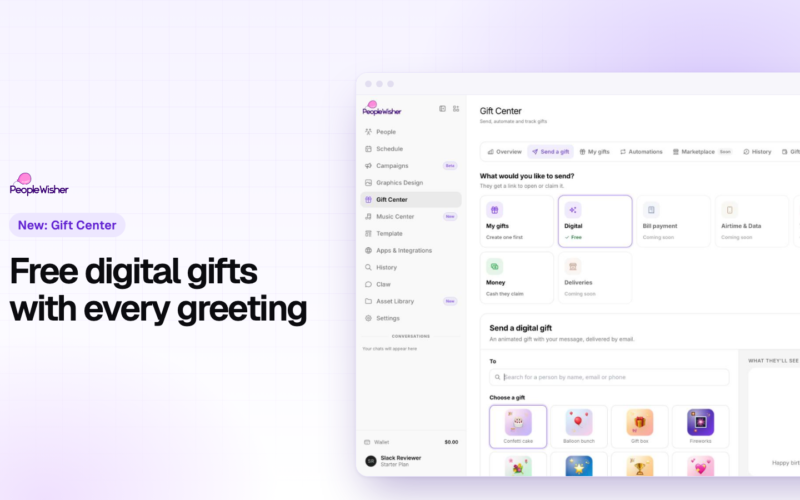
Add a free animated gift (a confetti cake, balloons, a gift box, fireworks and more) to any greeting, or give one to a whole group every year from the group’s schedule. People open it from a link on their celebration page. Money gifts, airtime and data, vouchers and gift cards are coming soon. Read more about the Gift Center.
Test runs and smarter imports
Ask the AI assistant for a test run and it drafts each channel for a sample person, then sends each test to your own email, phone and WhatsApp once you approve. Tests are free. The import now checks every row and helps you fix problems automatically, with AI, by hand, or by sending the file to our team, and the same file can’t be imported twice by accident. Read more about test runs and imports.
Peoplewisher for Slack
The Slack app now has a Home tab showing today’s and upcoming celebrations. You can mention @PeopleWisher in a thread to ask about celebrations, and it answers right there. @channel, @here and @everyone mentions in your messages now notify people properly, emoji are kept, and Slack works on every plan. Read more about Peoplewisher for Slack.
Peoplewisher in Spanish
The whole web app is now available in Spanish. Choose English or Español from the language menu on the sign-in page, or under Language in your settings. Your choice is also used by the AI assistant and AI drafts, and celebration pages can show in English or Spanish depending on the reader. The messages you write are never translated.
Email account health checks
If a connected Gmail or Outlook account can no longer send, because its sign-in expired or it is missing permission, Peoplewisher now flags it with a “Can’t send” label, even if it isn’t your current sender. You’ll see it in Apps & Integrations, in your email deliverability settings and on the dashboard, with “How to fix” and a Reconnect button.
Bulk delete contacts
Right-click in the People list and choose “Bulk delete” to remove everyone on the page, or everyone in a group. Deleting a whole group’s people asks you to type the group name first, and the group and its schedule stay in place. Large deletes of 500 people or more run in the background. Deleting also removes those people’s message history, graphics and gifts, and can’t be undone.
AI usage limits
To keep the AI assistant fast and fair for everyone, we’ve added usage limits per person and per account. Most people will never notice them. If you do send a lot of requests in a short time, the assistant will ask you to wait a minute, or tell you when the limit resets, and everything else in Peoplewisher keeps working as normal.
Thank you
All of this is live in your account today. As always, tell us what you’d like to see next by replying to any of our emails or using Support in the app. If you’re new here, create your Peoplewisher account and try any of these features for yourself.
Put this on autopilot with Peoplewisher
Import your people once. Peoplewisher remembers every date, writes the message, designs the card and sends it on the right channel.