
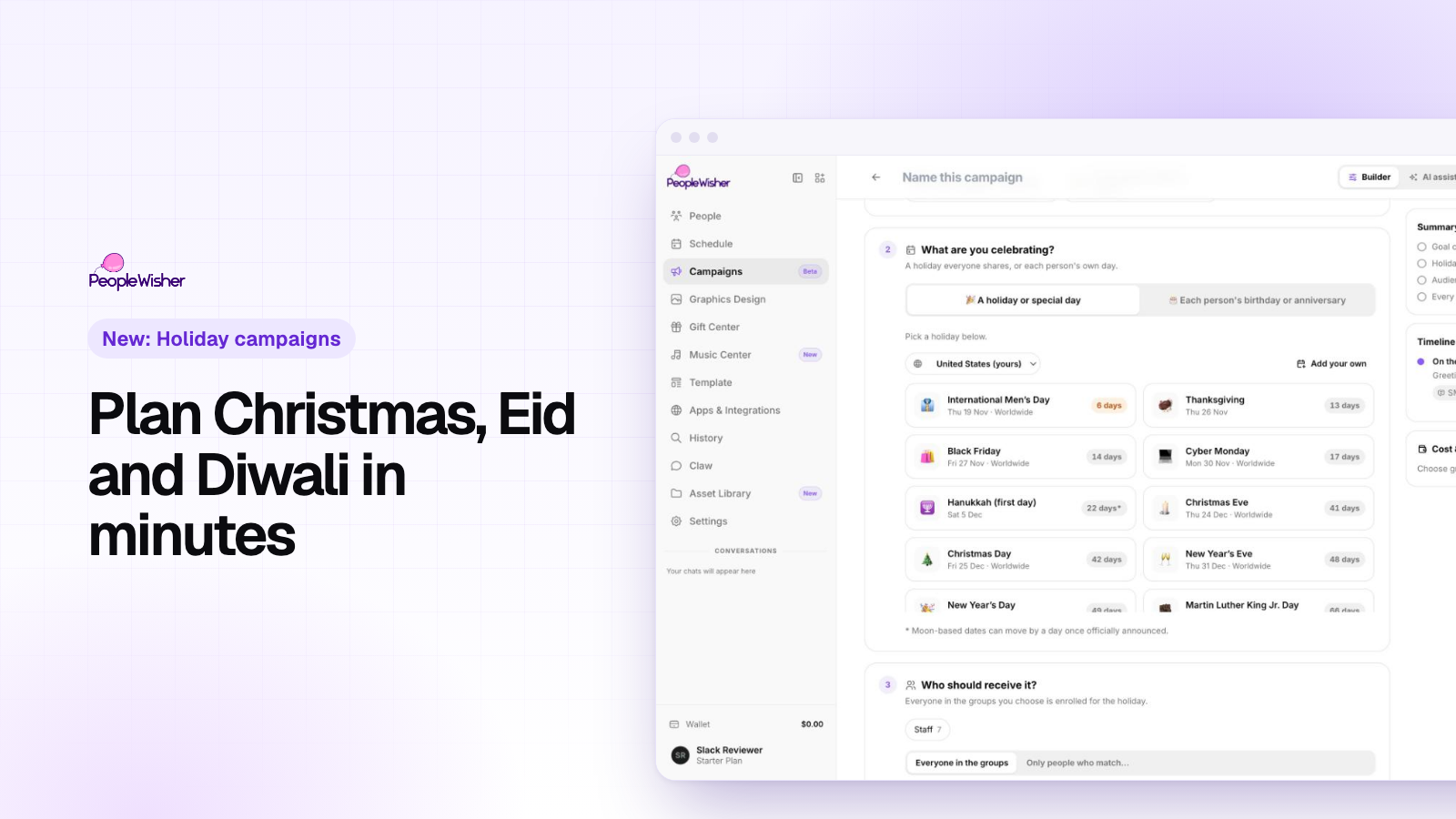
Every year it happens the same way. Christmas is two weeks away, someone asks “are we sending something to customers this year?”, and suddenly you are copying phone numbers into a spreadsheet, writing three versions of the same message and hoping nobody gets it twice. Eid, Diwali and New Year bring the same scramble.
Holidays land on one day for everyone, and they often need more than a single message: a teaser a few days before, a greeting on the day, maybe a gift for your best clients. That is what the new campaigns are for.
What’s new
The Campaigns page has been rebuilt from the ground up, and it now has two ways to send: full holiday campaigns and quick sends.
Holiday campaigns
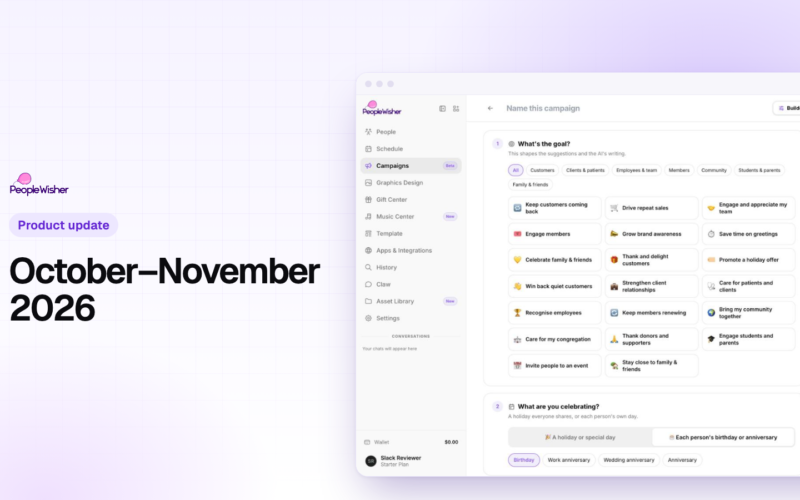
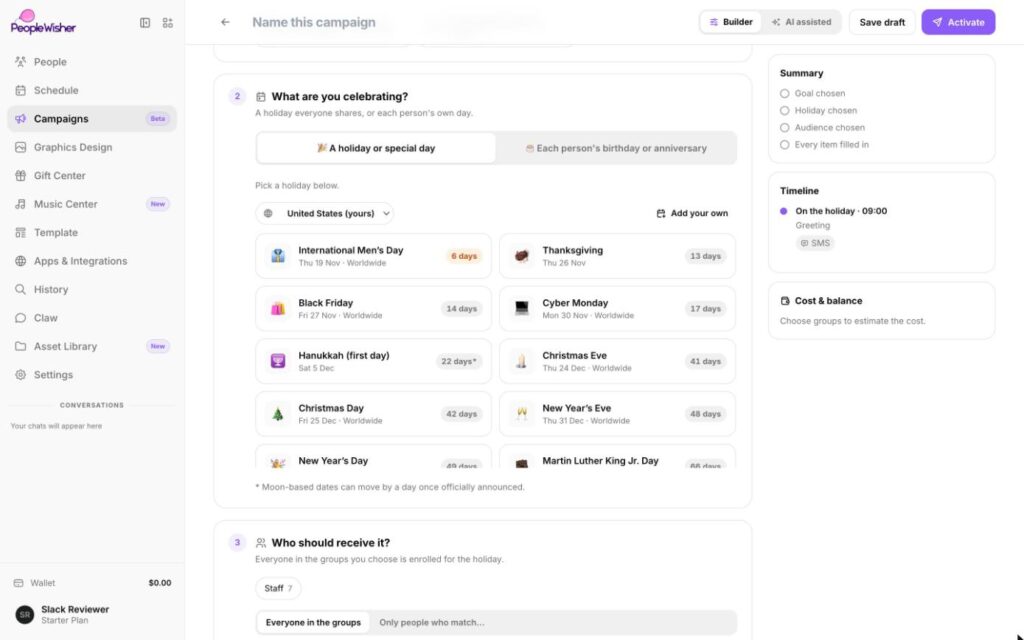
A campaign is a short plan of timed steps. You choose what you are celebrating, either “A holiday or special day” or “Each person’s birthday or anniversary”, pick who should receive it, and then build the workflow.
- A holiday calendar that knows your country. The “Upcoming holidays” list includes worldwide dates like Christmas Day, New Year’s Eve, the start of Ramadan, Eid al-Fitr, Eid al-Adha, Diwali, Lunar New Year, Valentine’s Day and Black Friday, plus regional days for the US, Nigeria, India, Colombia, the UK, Canada, Ghana, Kenya, South Africa and Australia. You can also add your own occasion, such as a founders’ day or church anniversary, and set it to repeat every year.
- Timed steps. Each step has a send day (a number of days before, on the day, or after) and a send time in your account’s timezone. A Diwali campaign could send an SMS three days before at 10:00, a WhatsApp reminder the day before at 17:00 and a greeting on the day.
- More than messages in a step. Each step can hold up to eight items: SMS, email, WhatsApp, Slack, a gift from your Gift Center, a celebration graphic or a social post.
- Filters. Send to “Everyone in the groups” or “Only people who match…”. You can require an email address, a phone number or a WhatsApp number, and add conditions on fields like first name, company, job title, city, country or language.
- A cost estimate before you start. The “Cost & balance” panel shows what the campaign is expected to cost, based on today’s audience and rates, next to your wallet balance.
- Tracking. Each campaign page shows messages sent, delivered and failed, a breakdown by channel, a funnel of the steps, email opens and clicks, gifts claimed and a timeline for every person.
- AI help. Click “Set up with AI” and describe the campaign in a sentence, then open it in the builder to adjust. On any message, “Write with AI” drafts the text in the style you choose, using your business profile, and never makes up prices, codes or links.
- Images. Emails can carry up to three attachments (JPG, PNG, GIF or PDF) and WhatsApp messages can carry one image, picked from your computer or your library.
Quick send
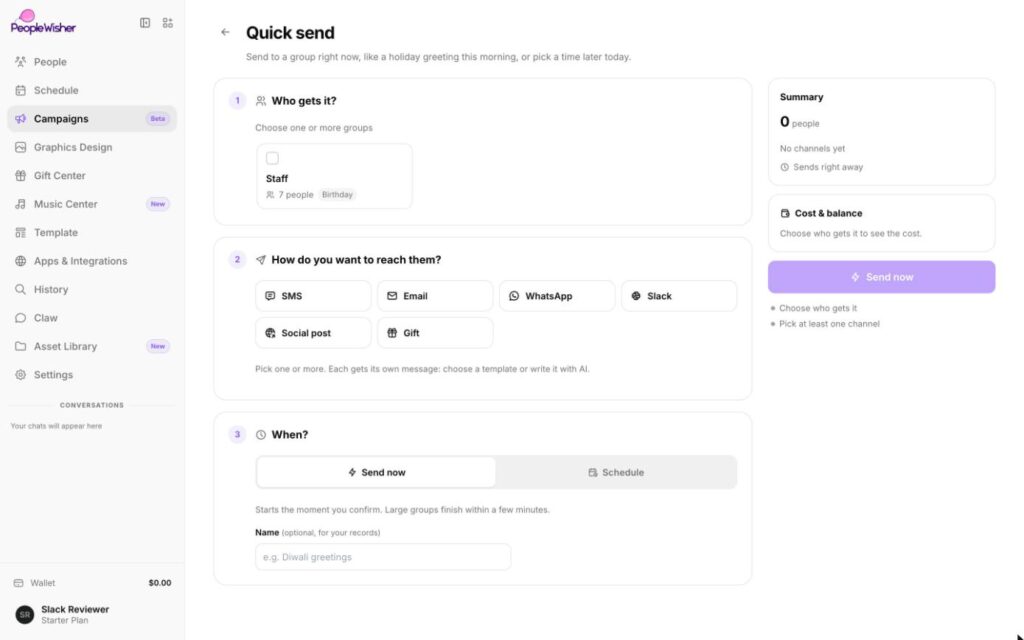
Not everything needs a plan. Quick send is a one-off message to one or more groups: choose who gets it, how to reach them (SMS, email, WhatsApp, Slack, a social post or a gift) and when. Send it now, or schedule it for a date and time. It is the fastest way to say “Merry Christmas from all of us” to your whole list.
A clear view of what failed, and how to fix it
The campaign page now has a Failed tab. Failures are grouped by reason under “Why messages failed”, so you can see at a glance whether a message was never sent (for example, because a daily sending limit was reached) or was sent and then turned down by the provider.
- Retry unsent resends everything Peoplewisher did not get out the first time.
- For a failed WhatsApp message, Resend lets you send it yourself from your phone: scan the QR code with your phone’s camera or tap “Open WhatsApp”, and the message is ready to go.
- Once you have sent it by hand, click Mark message as delivered so your numbers stay accurate.
Why it matters
Take a small clothing shop with 900 customers. The owner picks the “Holiday offer” idea, sets an SMS teaser three days before Christmas with a discount code, a WhatsApp reminder the day before and a greeting on Christmas morning, filters to customers who have a phone number, checks the estimate and clicks Activate. On Boxing Day the campaign page shows exactly who received what.
A church can do the same for Easter, and an HR lead with 200 staff can send a Diwali greeting on Slack plus a gift to the team in India. If a few numbers bounce, the Failed tab explains why.
How to set it up
- Sign in to Peoplewisher and click Campaigns in the sidebar.
- Click New campaign. You can also start from one of the ideas under “Start from a proven idea”, or click Set up with AI.
- In “What’s the goal?”, choose who you’re talking to (for example Customers, Employees & team or Members) and a goal such as “Promote a holiday offer”.
- In “What are you celebrating?”, choose A holiday or special day and pick the holiday from your country’s list, or click “Add your own”.
- In “Who should receive it?”, choose your groups and, if needed, narrow them with “Only people who match…”.
- Under “Workflow”, click Add a step, set its send day and time, then use “Add to this step” to add messages, gifts, graphics or social posts. Use “Write with AI” if you want a first draft.
- Check the Summary, Timeline and “Cost & balance” panels on the right, and top up your wallet if needed.
- Click Save draft to come back later, or Activate to start.
For a one-off message, click Quick send on the Campaigns page. Answer “Who gets it?” (one or more groups), “How do you want to reach them?” (each channel gets its own message: choose a template or write it with AI) and “When?” (Send now or Schedule). Give it an optional name like “Diwali greetings”, check the Summary and Cost & balance on the right, and confirm.
You can read more about what campaigns can do on our celebration campaigns page.
Good to know
- Campaigns and quick sends are paid from your wallet as each message goes out. SMS is charged per 160-character segment, unless you use your own SMS gateway.
- Email sent through your own connected Gmail, Outlook or SMTP account is free. Email sent through Peoplewisher’s own email service has a small per-email charge.
- WhatsApp messages sent with your approved WhatsApp template show no Peoplewisher charge; Meta bills you directly. There is no Peoplewisher daily limit on WhatsApp through Meta.
- WhatsApp images need a template with an image header. If you don’t have an approved template, choose “Send from my phone”.
- Gifts in a campaign are paid from your separate gift wallet.
Frequently asked questions
Can I send the same campaign every year?
Custom occasions you add can be set to “Repeats every year”, and the built-in holiday calendar covers the years ahead, including moon-based dates like Eid and Diwali.
What happens if someone is removed from my group mid-campaign?
They leave the campaign automatically. People also exit if they are deleted or deactivated, and you can add optional exit rules, for example when someone unsubscribes or a message fails.
How accurate is the cost estimate?
It is based on your audience and the rates on the day you look at it. You are only charged as each message actually sends.
Plan your next holiday in minutes
The next big holiday is closer than it looks. Create your free Peoplewisher account and build your first holiday campaign today.
Put this on autopilot with Peoplewisher
Import your people once. Peoplewisher remembers every date, writes the message, designs the card and sends it on the right channel.