
A birthday post on your company page does a lot of quiet work. Staff feel seen in public, customers see a business that cares about its people, and a church or school shows its community what it looks like from the inside. The trouble is remembering. Someone has to know whose birthday it is, find a nice picture, write a caption and post it on every network before lunch. Most weeks, it simply doesn’t happen.
Social Shoutouts take that job off your list. Peoplewisher already knows the birthdays in your groups, and now it can post them to your social accounts for you.
What’s new
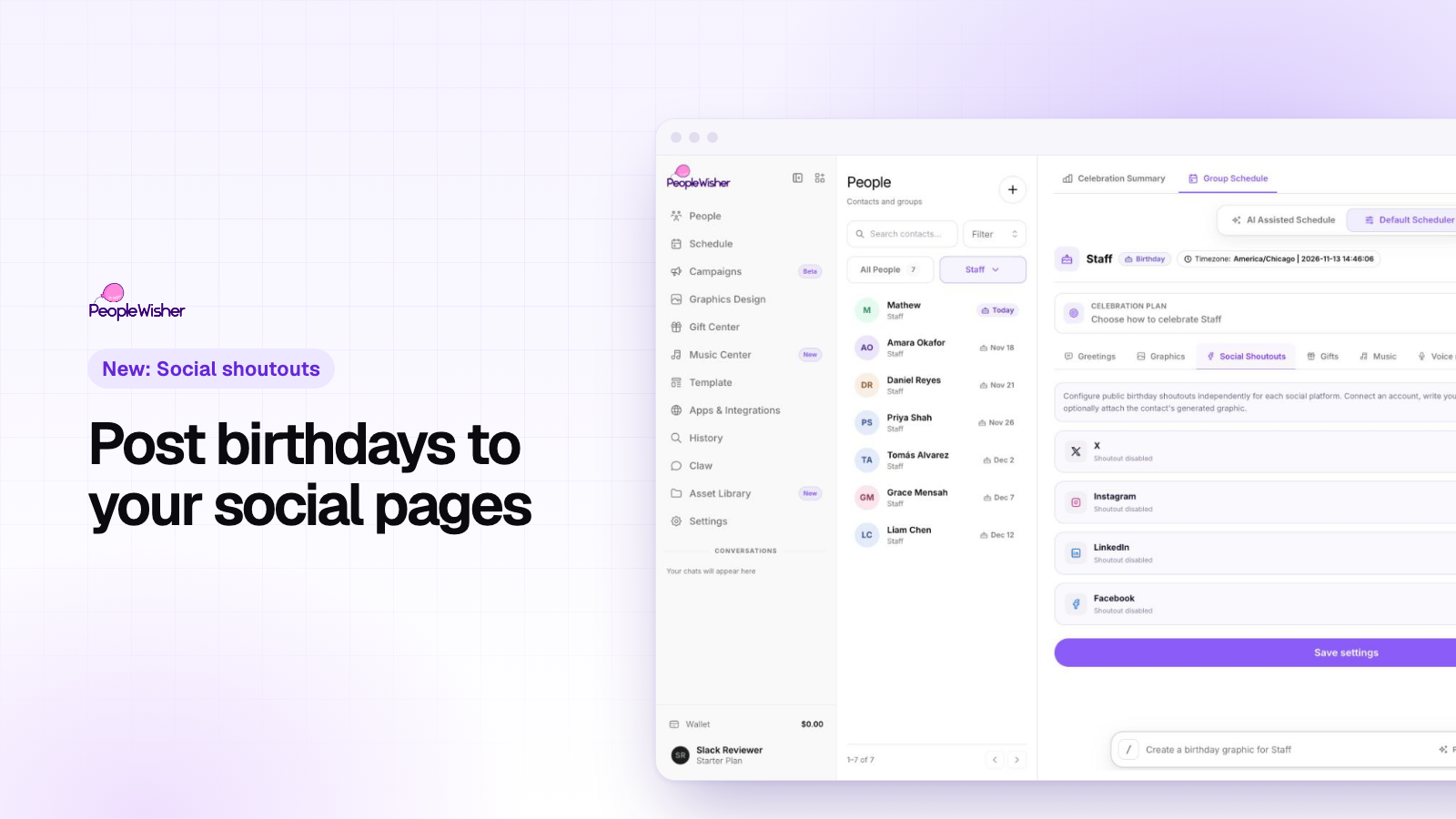
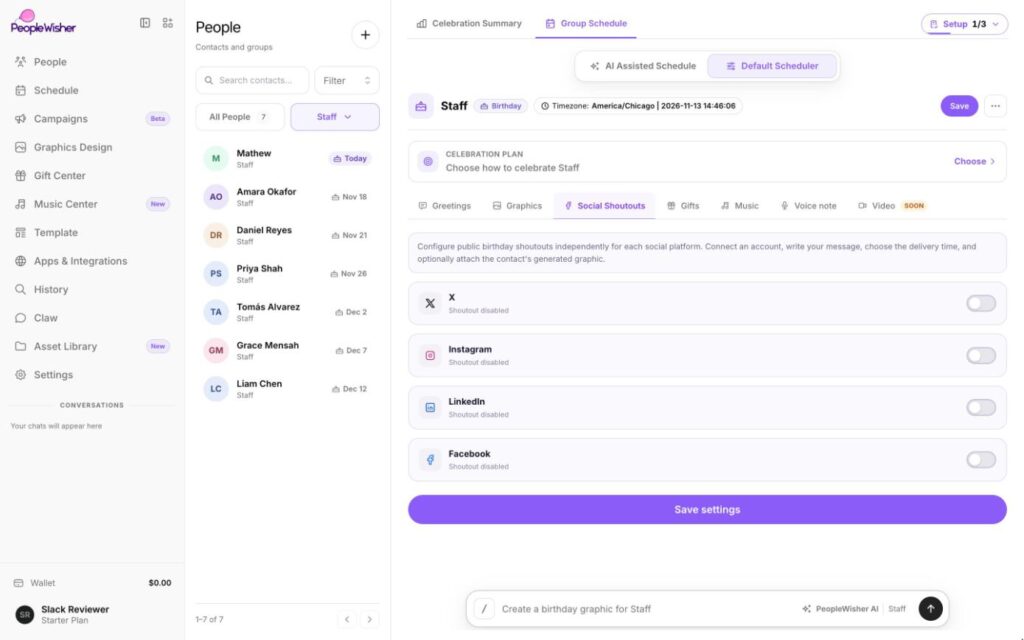
Social Shoutouts post a public birthday greeting automatically, on the person’s birthday, at the time you choose. You set them up once per group, and each network has its own settings.
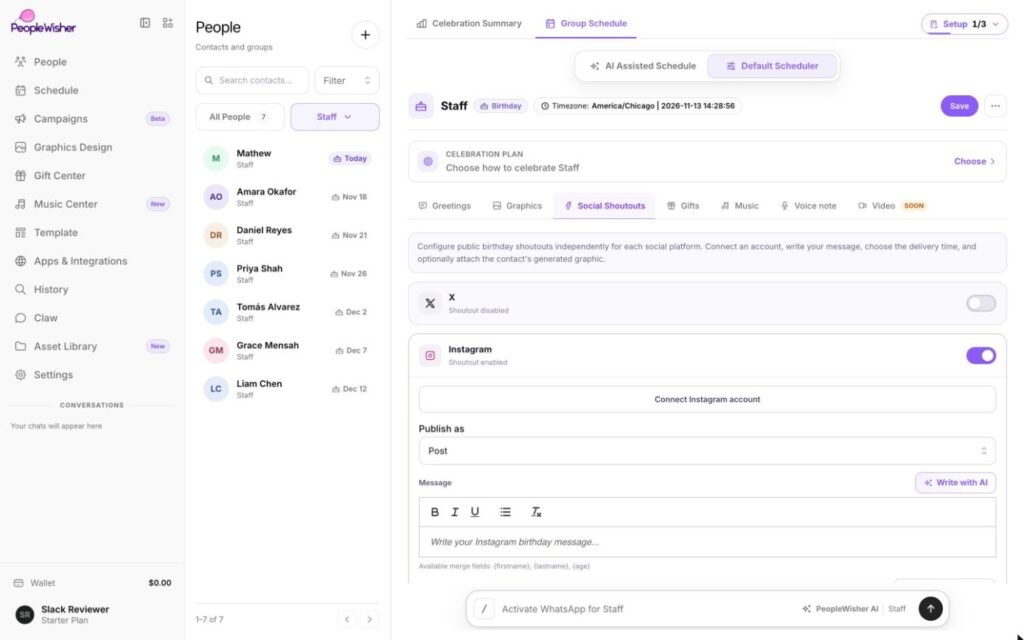
- Four networks. Peoplewisher can post to X, Instagram, LinkedIn and Facebook. Each has its own on/off switch, connected account, message and posting time.
- Instagram without a Facebook Page. You can now connect Instagram with Instagram Login directly. You no longer need to link your Instagram account to a Facebook Page first. Connecting through Facebook still works too.
- Post or Story on Instagram. Choose “Post” for a normal feed post with your message, or “Story” for a story. Stories show the image only, so put the greeting on the graphic.
- Facebook Pages. Shoutouts post to a Facebook Page you manage.
- LinkedIn. Shoutouts post from the LinkedIn profile you connect.
- Your words, personalised. Write a message for each network and use merge fields like {firstname}, {lastname} and {age} so every post is about the right person. “Write with AI” can draft the message for you.
- The birthday graphic, attached. Turn on “Attach Graphics” and the post carries the person’s celebration graphic, designed with your brand in the Graphics tab of the same group.
Why it matters
Picture an HR lead at a company with 200 staff. That is roughly four birthdays a week. Posting each one on LinkedIn and Instagram by hand would take an hour a week, and the one person who gets missed is the one everyone notices. With Social Shoutouts, she writes one LinkedIn message (“Happy birthday, {firstname}! Thank you for everything you bring to the team.”) and one Instagram message, turns on “Attach Graphics”, and picks 9:00. From then on, every birthday in the staff group gets its own post with a branded graphic, without anyone having to remember.
A church can celebrate members on its Facebook Page every week without a volunteer chasing dates. A small salon can post a birthday graphic for loyal clients on Instagram, which doubles as friendly, regular content for its feed. Because the post goes out on the day itself, it is always on time.
How to set it up
- Sign in to Peoplewisher and click People in the sidebar.
- Open the group you want to celebrate publicly, for example your staff group.
- Click Group Settings, then open the Social Shoutouts tab.
- Pick a network and click Connect {network} account, for example “Connect Instagram account”. Sign in and approve access in the window that opens. Allow pop-ups if your browser blocks it.
- Select the connected account. For Instagram, choose Post or Story under “Publish as”.
- Write your message, using merge fields like {firstname}, or click Write with AI for a draft.
- Set the Post at time and switch on Attach Graphics if you want the birthday graphic included.
- Turn the shoutout on for that network and save. Repeat for any other networks you want to use.
If you haven’t designed a birthday graphic yet, do that in the Graphics tab of the same Group Settings window first. You can see examples on our social shoutouts page.
Good to know
- Paid plans only. Social Shoutouts are available on paid plans. On the free plan you will see “Unlock Social Shoutouts”.
- Birthdays. Shoutouts currently post on each person’s birthday.
- X has a small per-post charge. X charges for posting through its API, so each X post is paid from your wallet. The exact price is shown in the X settings, and it is higher if the message contains a link. Posts that don’t go out aren’t charged. Instagram, Facebook and LinkedIn posts have no per-post charge from Peoplewisher.
- Instagram needs a professional account (business or creator) and always needs an image, so keep “Attach Graphics” on for Instagram.
- Facebook posts go to a Page, not a personal profile.
- LinkedIn posts go to the connected member profile. Posting to LinkedIn company pages is not part of this first version.
- No double posts. Peoplewisher posts each person only once per network per day.
- Public means public. These posts are visible to anyone who follows your page, so it is a good idea to let people know their birthday may be celebrated publicly, and to use a separate group for people who would rather not be.
Frequently asked questions
Do I need a Facebook Page to post to Instagram?
No. Connect with Instagram Login and Peoplewisher posts straight to your professional Instagram account. If your Instagram is already linked to a Facebook Page, you can connect through Facebook instead.
Can I use a different message on each network?
Yes. Every network has its own message, posting time and graphic setting, so you can keep LinkedIn professional and make Instagram more playful.
Does it cost extra?
Social Shoutouts are included in paid plans. The only per-post charge is for X, paid from your wallet, and the price is shown in the app before you switch it on.
Can different groups post to different accounts?
Yes. Shoutouts are set up per group, so your staff group can post to LinkedIn while your customer group posts to your shop’s Instagram.
Let your pages celebrate for you
Public recognition is one of the simplest ways to show people they matter, and now it no longer depends on someone remembering. Create your Peoplewisher account, add your birthdays and turn on your first shoutout.
Put this on autopilot with Peoplewisher
Import your people once. Peoplewisher remembers every date, writes the message, designs the card and sends it on the right channel.