
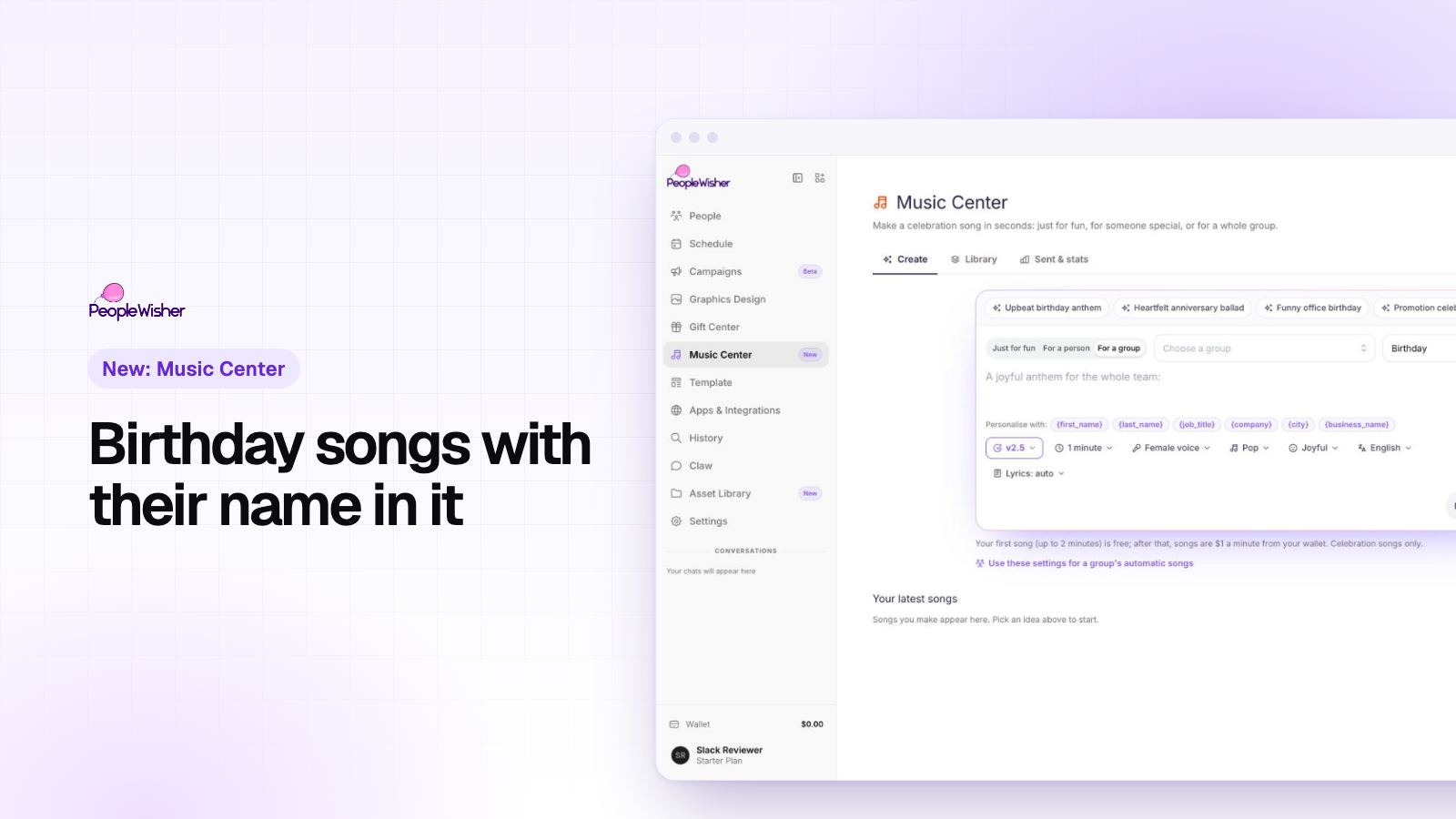
A birthday message is lovely. A birthday song with your name sung in it is something people play twice, forward to their family and remember at the end of the year. Until now, making one meant hiring a musician or settling for a generic tune, and doing that for a whole team or congregation was out of the question.
Today we are introducing the Music Center in Peoplewisher. It writes and sings a personal celebration song in seconds, for one person or for a whole group, and sends it with your greetings on the day.
What’s new
The Music Center is a new page in the Peoplewisher sidebar. It uses AI music from ElevenLabs to produce a full song, with lyrics written for the person and their occasion. Here is what you can do with it.
- Make a song for anything you celebrate. Birthdays, wedding and work anniversaries, weddings, graduations, promotions, retirements, new babies, achievements, the holiday season, thank-yous and general celebrations.
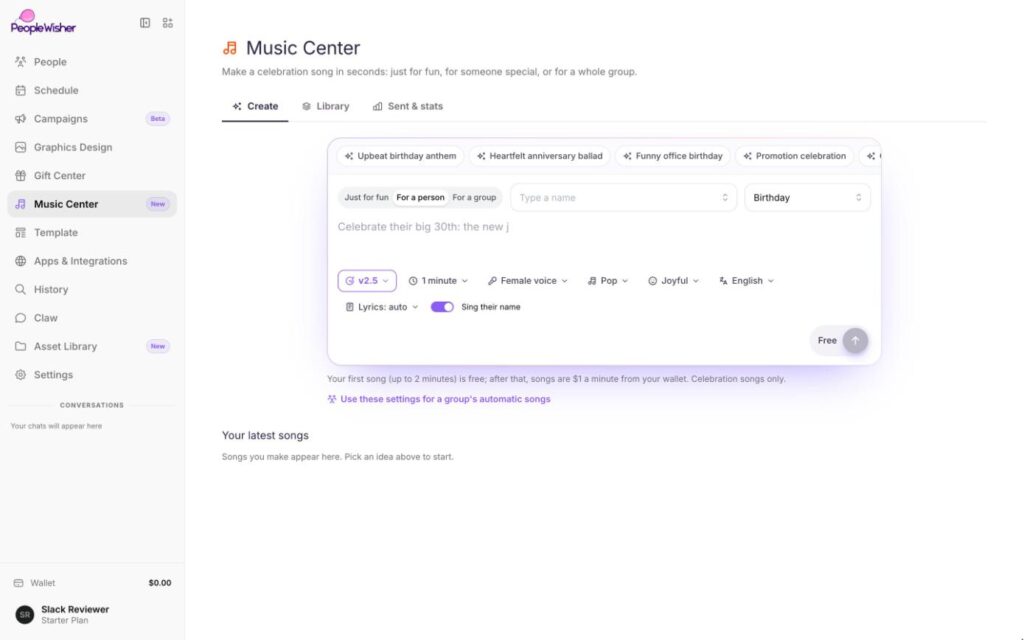
- Choose how it sounds. Pick a length (30 seconds up to 6 minutes), a voice (female, male, duet, choir or instrumental), a style (from pop, gospel and jazz to Afrobeats, Amapiano, Bollywood, reggaeton and K-pop) and a tone such as joyful, heartfelt, funny or calm.
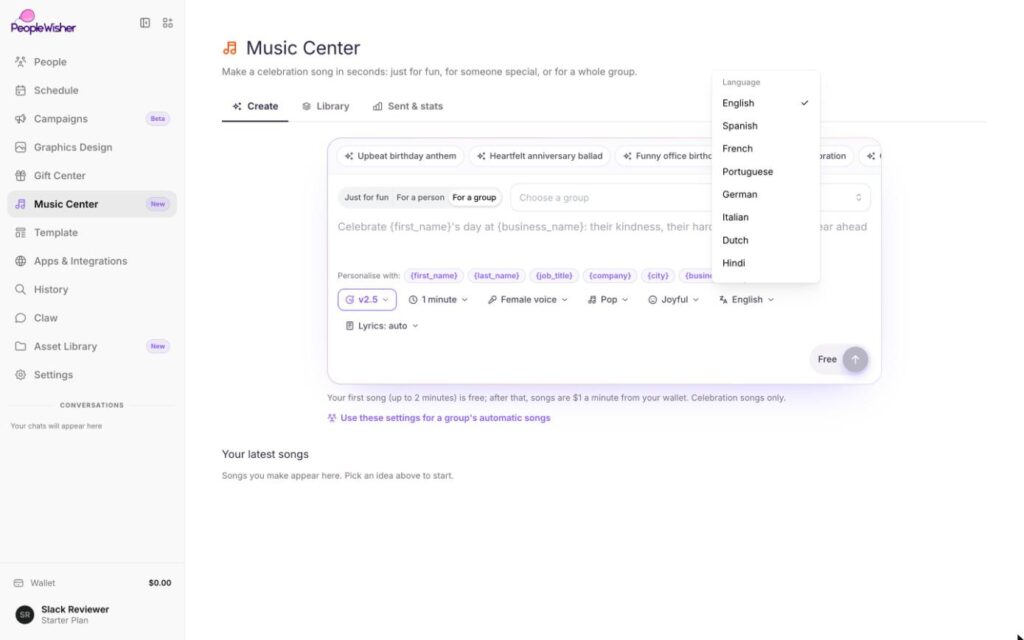
- 18 song languages. English, Spanish, French, Portuguese, German, Italian, Dutch, Hindi, Arabic, Swahili, Turkish, Russian, Polish, Japanese, Korean, Chinese (Mandarin), Indonesian and Filipino. Peoplewisher preselects the main language of your account’s country, with English right beside it, and suggests a style that fits your region.
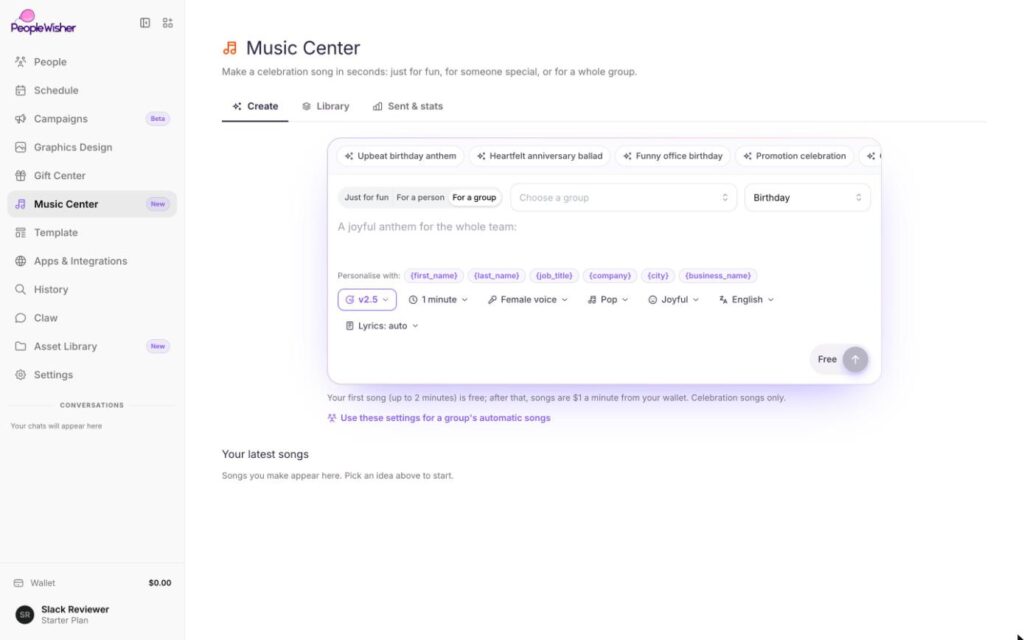
- Let the AI write the lyrics, or write your own. Your own lyrics are sung exactly as written. Placeholders such as {first_name}, {job_title}, {company} and {city} are filled in for each person, and anything without a value is simply left out rather than sung.
- One song for the group, or one each. For a group, choose a unique song for each person or the same song for everyone.
- Songs sent with greetings. Email gets the MP3 attached with a “Listen to your song” button. WhatsApp sends it as audio where it can. SMS, Slack and Teams get a link to the person’s celebration page, where the song plays.
- Share links. Copy a link to the celebration page of the person the song was made for, even before the greeting goes out.
- Song stats. The Sent & stats tab shows how many songs were made, sent, opened, played and loved.
Why it matters
Personal recognition is hard to scale. The more people you look after, the more every greeting starts to look the same. A song is one of the few things that still feels made by hand, and Peoplewisher now makes it for you.
Picture an HR lead at a company of 200 staff. That is roughly four birthdays a week, plus work anniversaries. She turns on automatic songs for the “All staff” group, chooses “A unique song for each person”, keeps approval switched on and picks “3 days before their day”. As songs are made, she gets an email listing the ones waiting for her. She taps Listen on each one, approves them all in one go, and on the day each person gets a birthday email with their own song attached. In Sent & stats she can see which songs were played and which got a heart.
A church can do the same for its members, in the language of the congregation. A small shop can make one cheerful holiday song for all its customers and pay only for that single song.
How to set it up
To make a single song:
- Sign in to Peoplewisher and open Music Center in the sidebar.
- On the Create tab, choose who it is for: Just for fun, For a person or For a group. Pick one of the idea chips or describe what the song should be about.
- Adjust the settings: Length, Voice, Style, Tone and Language. Under Use from their profile, tick any facts you want included, such as the age they are turning or their job title.
- Leave Lyrics: auto on, or switch to Lyrics: my own and write them, using placeholders like {first_name}.
- Click Create song. When it is ready it appears in your Library under My music, where you can play it, copy its link or send it with the person’s next greeting.
Like the settings you picked? Click Use these settings for a group’s automatic songs under the composer to carry them over.
To send songs automatically to a group:
- Go to People, open the group and choose the Group Schedule tab.
- In the Default Scheduler, open the Music tab.
- Under Send songs with greetings, switch on Email (MP3 attached), WhatsApp and, if you like, Other channels (as a link).
- Turn on Automatic songs, then choose A unique song for each person or The same song for everyone.
- Under Prepare each song, choose when songs are made: right away for everyone in the next 30 days, or 2 weeks, 1 week, 3, 2 or 1 day before their day.
- Keep Ask before sending on if you want to listen and approve each song first, then click Save song settings.
Good to know
- Your first song is free, up to 2 minutes long, on any plan. After that, songs are charged per minute from your wallet (at the time of writing, $1 a minute for a US dollar wallet), and every started minute counts. The price in your wallet’s currency is shown on the Create song button before you confirm.
- The wallet is charged when a song starts and refunded if it fails.
- With The same song for everyone, you pay for one song, and giving it to each person is free.
- Songs can be up to 6 minutes long, and your own lyrics up to 3,000 characters.
- Only the newest song for a person goes out. If an older song was still waiting, it is retired so it never arrives a year late.
- Songs are for celebrations. Requests that read like adverts, jingles, politics or insults are declined.
- Approvals can be done from email: each song has Listen, Approve and Don’t send buttons, plus Approve all. The links expire after 7 days.
FAQ
Does the song really sing the person’s name?
Yes. Turn on Sing their name and type the name the way it should be sung. With your own lyrics, use {first_name} and it is filled in for each person.
What happens on channels that can’t carry audio?
SMS, Slack and Teams get a link to the person’s celebration page, where the song plays and they can tap the heart to say they loved it. Email carries the MP3 as an attachment, and WhatsApp sends it as audio where possible.
Can I share a song outside a greeting?
Yes. Use Copy link on any song made for someone. It opens their celebration page. You can also share a song to the public Music Center library, where other users won’t see who you are or who it was made for.
Can I make songs from WhatsApp or from Claude and ChatGPT?
Yes. Ask the Peoplewisher assistant to make a song for someone. It shows a summary with the cost and waits for you to confirm before it starts.
Try it
Your first song is on us. See samples on the birthday songs page, then create your free Peoplewisher account and make a song for the next person on your list.
Put this on autopilot with Peoplewisher
Import your people once. Peoplewisher remembers every date, writes the message, designs the card and sends it on the right channel.